
The new interactive mode runs multiple scripts in a single session, cutting delays between operations for repetitive photogrammetry pipelines.
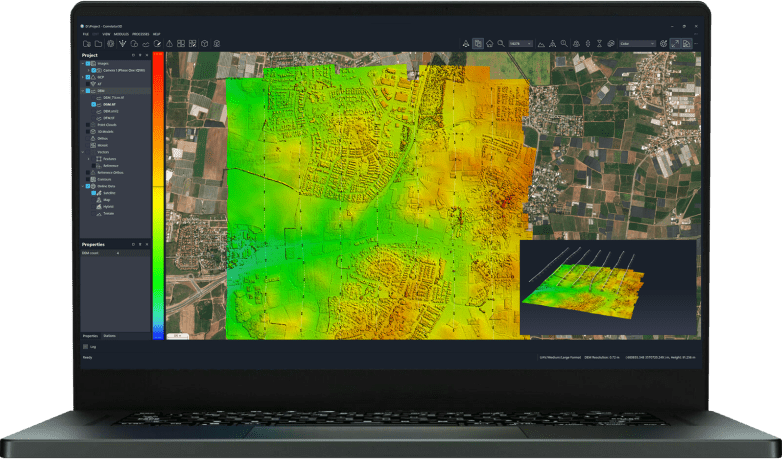
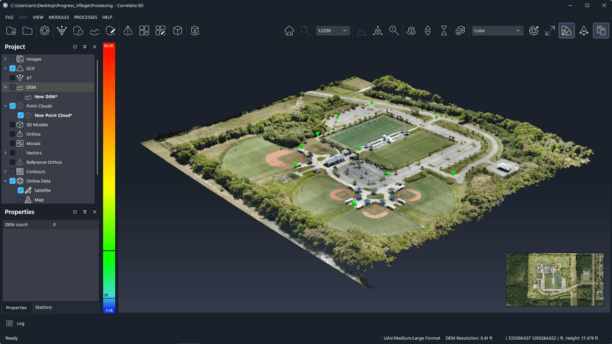
SimActive announced a new interactive mode in Correlator3D that shortens automated photogrammetry workflows. Users can run multiple scripts in succession within the same session. The mode removes delays between operations and reduces total execution time. Correlator3D is SimActive’s photogrammetry suite for turning aerial and satellite imagery into orthomosaics, digital surface models, digital terrain models and point clouds.
Correlator3D interactive mode for repetitive workflows
The feature targets repetitive workflows that involve several short scripts. Users often script Correlator3D through its command-line interface for unattended processing on batch servers. Correlator3D remains ready for the next operation after each script completes. Each script restart otherwise carries software startup overhead. Keeping Correlator3D loaded avoids that delay between queued jobs. The software also generates completion messages for integration with external automation tools. Operators can queue script sequences without manual handoffs between them.
“Automation plays an important role in large-scale mapping workflows,” said Louis Simard, chief technology officer at SimActive. “This new mode helps users complete automated workflows faster, particularly when numerous short operations must be performed.”
Photogrammetry automation webinar
SimActive will host a webinar titled “From Images To Results: Can Photogrammetry Be Fully Automated?” on September 10, 2026. David Alamillo joins as guest, and Michael O’Sullivan hosts. The session will examine how far end-to-end automation can extend in photogrammetric processing. Topics tie directly to the new interactive mode and its role in unattended pipelines. Registration is available through the SimActive webinar page.
More information is available at SimActive.
Read More
-
When Drones Generate 6,000 Images, Who Looks at Them? AI’s Real Role in Commercial Drone Operations
-
Powerus Signs $22.3M Counter-UAS Deal With Private Middle East Oil Firm
-
TSA Seeks Drone Industry Input on Security Requirements for Part 108 BVLOS Operations


Useful workflow update. For teams turning photos into usable meshes, a fast face to 3D model pipeline covers the single-subject case, while the interactive scanning tools handle full scenes.
Keeping Correlator3D loaded so several short scripts can run in one session makes a lot of sense for batch processing, since startup overhead adds up when you’re queuing many small jobs. I’d be curious whether the completion messages are flexible enough to slot into existing automation tools without extra glue code.
The detail about keeping Correlator3D loaded so each script doesn’t pay the startup cost again is the part that really lands for me, since those small delays add up fast across a long queue of short jobs. I’d be curious whether the completion messages make it easier to chain sequences on a batch server without someone watching each step.
The detail about avoiding software restart overhead when running several short scripts in one session makes sense for batch processing. Keeping Correlator3D loaded between queued jobs sounds like it could save real time on repetitive pipelines.
Keeping Correlator3D loaded between short scripts is the detail that stands out to me; startup overhead adds up fast on batch servers. I’d be curious whether interactive mode also helps when scripts are chained with external automation tools that rely on those completion messages.
Keeping Correlator3D loaded between short scripts seems like a practical fix for batch processing, since startup overhead can add up across queued jobs. I’d be curious whether the completion messages integrate cleanly with existing automation tools.
The part about keeping Correlator3D loaded between short scripts makes sense—startup overhead adds up quickly in repetitive batch jobs. I also like that completion messages can still feed external automation tools, so queued script sequences don’t need manual handoffs. It would be interesting to see how much time this saves on a typical large mapping project.
The interactive mode sounds like a real time-saver for anyone running batch jobs, especially since those repeated startup delays can really add up across dozens of scripts. I appreciate that they kept it compatible with external automation tools through the completion messages, which makes queuing sequences much cleaner.